Vamos a leer un archivo Excel desde Java utilizando la librería POI.
Nos podemos descargar la librería desde su página http://www.apache.org/dyn/closer.cgi/poi/
En mi caso me he descargado la versión «poi-bin-3.10-FINAL-20140208.zip»
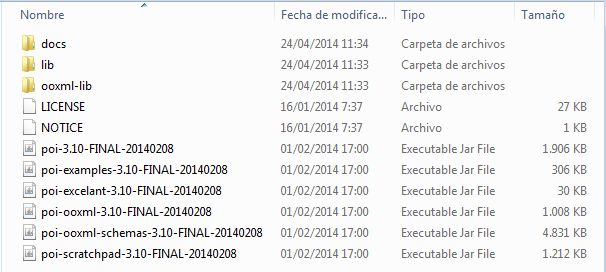
Descomprimimos y observamos que tenemos unos jars que añadiremos posteriormente a nuestro proyecto.
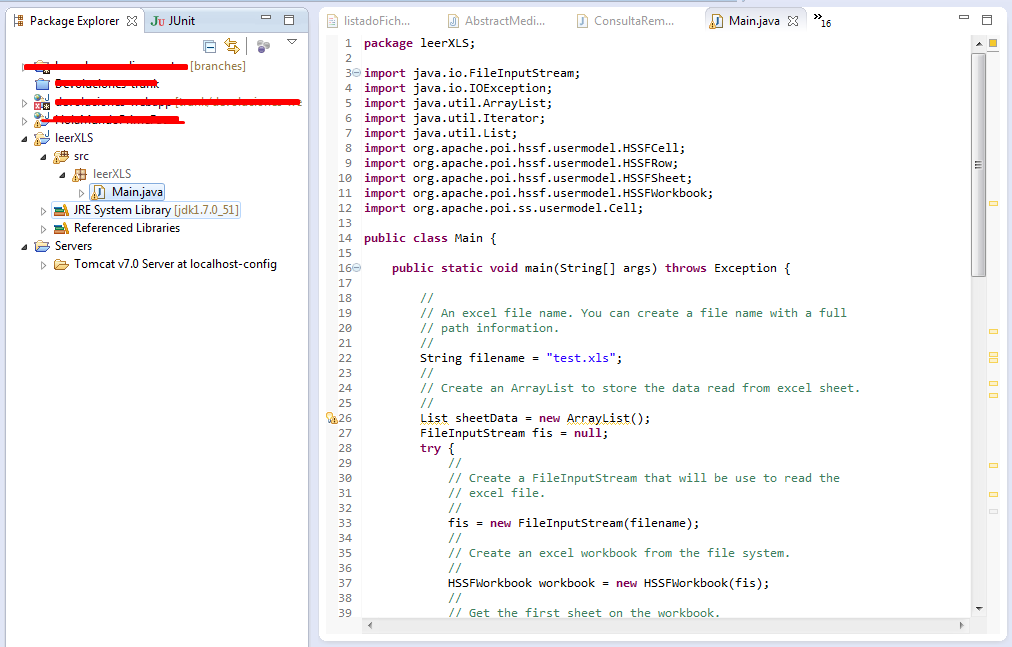
Creamos un nuevo proyecto en Eclipse o en el entorno de desarrollo que utiliceis.
Ahora añadiremos las librerias POI para poder leer el Excel, para ello pulsamos con el botón derecho sobre nuestro proyecto, propiedades. Seguidamente en Java Build Path y en la pestaña de Libraries añadimos los jar de la libreria POI. Una vez añadidas pulsamos en OK y ya tenemos las librerias en nuestro proyecto.

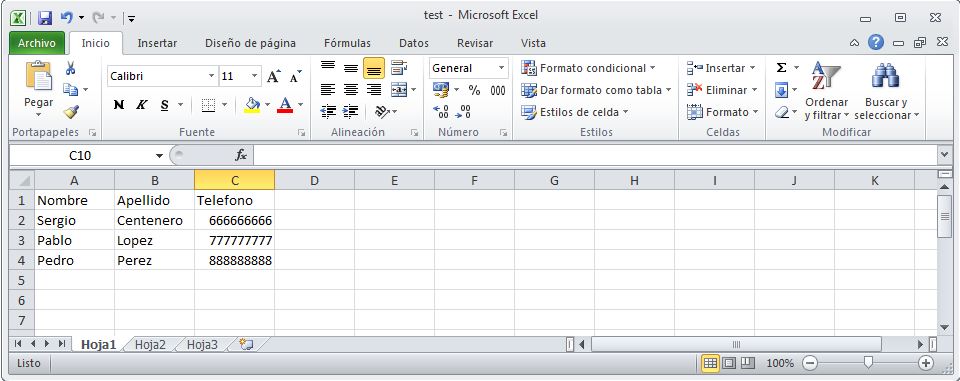
Creamos un excel de ejemplo y lo guardamos dentro de nuestro proyecto
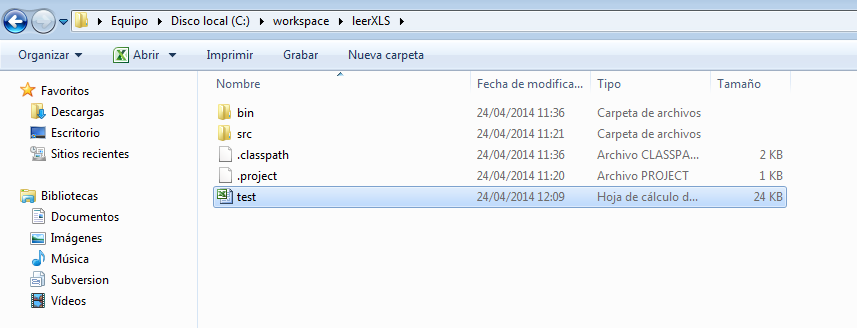
Ahora creamos el Main.java con el siguiente código:
package leerXLS;

import java.io.FileInputStream;
import java.io.IOException;
import java.util.ArrayList;
import java.util.Iterator;
import java.util.List;
import org.apache.poi.hssf.usermodel.HSSFCell;
import org.apache.poi.hssf.usermodel.HSSFRow;
import org.apache.poi.hssf.usermodel.HSSFSheet;
import org.apache.poi.hssf.usermodel.HSSFWorkbook;
import org.apache.poi.ss.usermodel.Cell;

public class Main {

	public static void main(String[] args) throws Exception {

		//
		// An excel file name. You can create a file name with a full
		// path information.
		//
		String filename = "test.xls";
		//
		// Create an ArrayList to store the data read from excel sheet.
		//
		List sheetData = new ArrayList();
		FileInputStream fis = null;
		try {
			//
			// Create a FileInputStream that will be use to read the
			// excel file.
			//
			fis = new FileInputStream(filename);
			//
			// Create an excel workbook from the file system.
			//
			HSSFWorkbook workbook = new HSSFWorkbook(fis);
			//
			// Get the first sheet on the workbook.
			//
			HSSFSheet sheet = workbook.getSheetAt(0);
			//
			// When we have a sheet object in hand we can iterator on
			// each sheet's rows and on each row's cells. We store the
			// data read on an ArrayList so that we can printed the
			// content of the excel to the console.
			//
			Iterator rows = sheet.rowIterator();
			while (rows.hasNext()) {
				HSSFRow row = (HSSFRow) rows.next();

				Iterator cells = row.cellIterator();
				List data = new ArrayList();
				while (cells.hasNext()) {
					HSSFCell cell = (HSSFCell) cells.next();
				//	System.out.println("Añadiendo Celda: " + cell.toString());
					data.add(cell);
				}
				sheetData.add(data);
			}
		} catch (IOException e) {
			e.printStackTrace();
		} finally {
			if (fis != null) {
				fis.close();
			}
		}
		showExelData(sheetData);
	}

	private static void showExelData(List sheetData) {
		//
		// Iterates the data and print it out to the console.
		//
		for (int i = 0; i < sheetData.size(); i++) {
			List list = (List) sheetData.get(i);
			for (int j = 0; j < list.size(); j++) {
				Cell cell = (Cell) list.get(j);
				if (cell.getCellType() == Cell.CELL_TYPE_NUMERIC) {
					System.out.print(cell.getNumericCellValue());
				} else if (cell.getCellType() == Cell.CELL_TYPE_STRING) {
					System.out.print(cell.getRichStringCellValue());
				} else if (cell.getCellType() == Cell.CELL_TYPE_BOOLEAN) {
					System.out.print(cell.getBooleanCellValue());
				}
				if (j < list.size() - 1) {
					System.out.print(", ");
				}
			}
			System.out.println("");
		}
	}
}
Ejecutamos y comprobamos que ha leído nuestro archivo Excel.

Ejemplo de escribir en un Excel que se guarda en la ruta del proyecto.
package leerXLS;

import java.io.FileOutputStream;

import org.apache.poi.hssf.usermodel.HSSFCell;
import org.apache.poi.hssf.usermodel.HSSFRichTextString;
import org.apache.poi.hssf.usermodel.HSSFRow;
import org.apache.poi.hssf.usermodel.HSSFSheet;
import org.apache.poi.hssf.usermodel.HSSFWorkbook;

public class EjemploCrearExcel {

    /**
     * Crea una hoja Excel y la guarda.
     *
     * @param args
     */

	public static void main(String[] args) {
        // Se crea el libro
        HSSFWorkbook libro = new HSSFWorkbook();

        // Se crea una hoja dentro del libro
        HSSFSheet hoja = libro.createSheet();

        // Se crea una fila dentro de la hoja
        HSSFRow fila = hoja.createRow(0);

        // Se crea una celda dentro de la fila
        HSSFCell celda = fila.createCell((short) 0);

        // Se crea el contenido de la celda y se mete en ella.
        HSSFRichTextString texto = new HSSFRichTextString("hola mundo");
        celda.setCellValue(texto);

        // Se salva el libro.
        try {
            FileOutputStream elFichero = new FileOutputStream("holamundo.xls");
            libro.write(elFichero);
            elFichero.close();
        } catch (Exception e) {
            e.printStackTrace();
        }
    }
}
Notas:
- Workbook crea el Excel con el que vamos a trabajar (tanto para leer como para crear uno nuevo).
- HSSFSheet son las Hojas del Excel, como mínimo un Excel debe de tener al menos una hoj.a
- HSSFRow son las filas de la hoja del Excel.
- HSSFCell son las celdas de la celda/columna.